 Fighting Spam:
Fighting Spam:
The Bat! comes with anti-spam functionality. These rules will help rid your inbox from junk e-mail. To do this, you first need to enable the junk filtering.
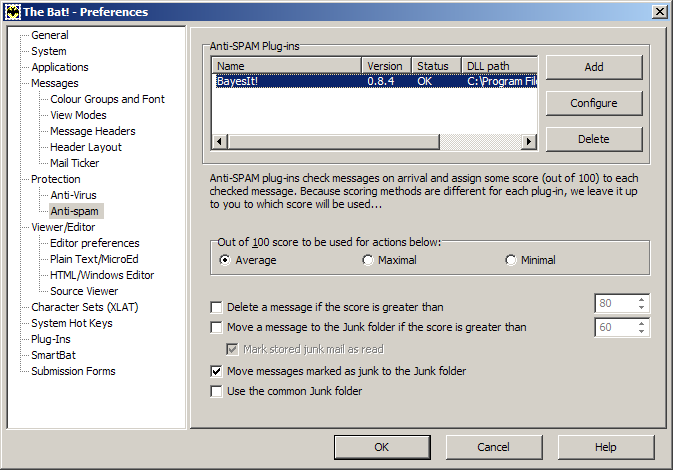
On the Toolbar, click Options and select Preferences from the menu.
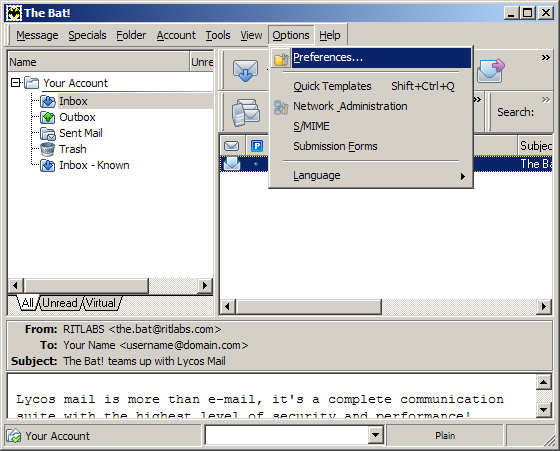
The Preferences window opens.
In the left-hand column, highlight Anti-spam.
Anti-SPAM Plug-ins:
Click the Add button.
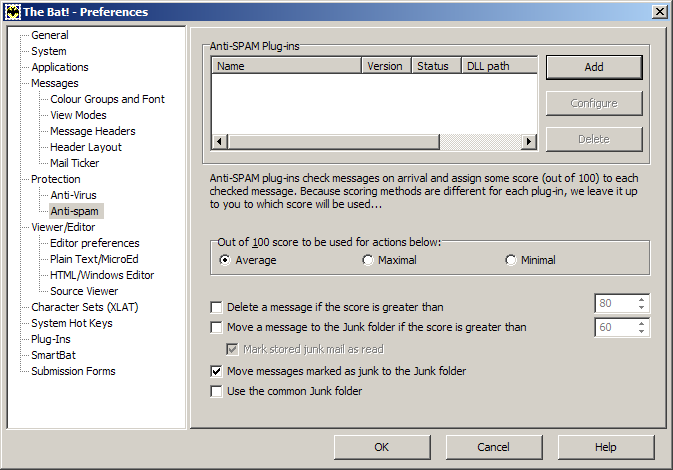
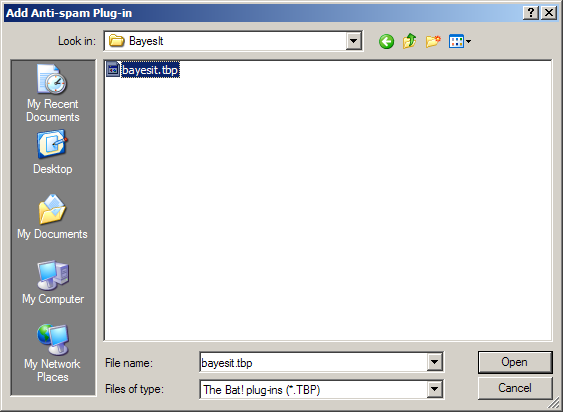
The Add Anti-spam Plug-in window opens.
Look in:
Browse to the BayesIt folder (normally C://Program Files/The
Bat!/BayesIt).
Highlight the file bayesit.tbp or simply bayesit.
Click the Open button.
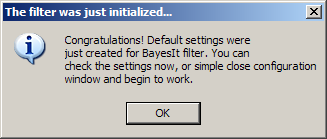
The following prompt appears:
Click the OK button to continue.
We return to the Preferences window.
BayesIt spam filtering has now been enabled.
Click the OK button to close the window.
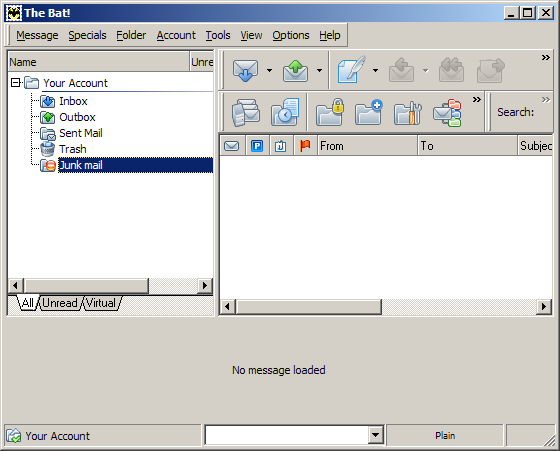
A new Junk mail folder will appear when you get spam.
Links: Return to top